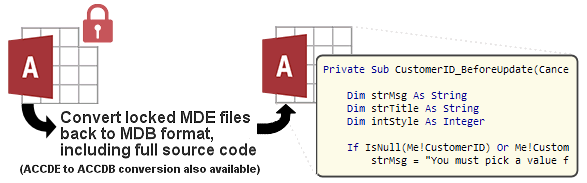
IN THE SPOTLIGHT: MDE to MDB Conversion Service
(also supports: ACCDE to ACCDB, ADE to ADP, etc)
IN THE SPOTLIGHT: Access Database Repair Service
An in-depth repair service for corrupt Microsoft Access files

IN THE SPOTLIGHT: vbWatchdog
VBA error handling just got easier...

" vbWatchdog is off the chart. It solves a long standing problem of how to consolidate error handling into one global location and avoid repetitious code within applications. "
- Joe Anderson,
Microsoft Access MVP
Meet Shady, the vbWatchdog mascot watching over your VBA code →
(courtesy of Crystal Long, Microsoft Access MVP)
IN THE SPOTLIGHT: vbMAPI
An Outlook / MAPI code library for VBA, .NET and C# projects
Get emails out to your customers reliably, and without hassle, every single time.

Use vbMAPI alongside Microsoft Outlook to add professional emailing capabilities to your projects.
IN THE SPOTLIGHT: Code Protector
Standard compilation to MDE/ACCDE format is flawed and reversible.
Equivalent MAPI object: IMAPITable
Equivalent Outlook Redemption object: Redemption.RDORecipients
Equivalent Outlook Object Model object: Outlook.Recipients
Parent: vbMAPI_MailItem
This object represents a collection of vbMAPI_Recipient objects. Preferably, use the For-Each syntax to enumerate the collection. Use Add method to add a new recipient, or use the parent object To/CC/BCC members to set a string list.
Property Get Count() As Long
Returns the count of items in this collection.
Property Get Item(ByVal IndexOrName As Variant) As vbMAPI_Recipient
Returns the item in the collection corresponding to the provided Index (Long) or Name (String).
Function Add(Optional ByVal NameOrObject As Variant, _
              Optional ByVal RecipientType As EnumRecipientType = Recipient_TO) As vbMAPI_Recipient
Adds a new recipient to the collection.
(OPTIONAL) NameOrObject: You can pass in a string name/address, or a vbMAPI_Recipient object from another collection, or even a vbMAPI_AddressEntry object.
Function AddEx(ByVal Name As String, _
              Optional ByVal Address As String, _
              Optional ByVal AddressType As String, _
              Optional ByVal RecipientType As EnumRecipientType = Recipient_TO) As vbMAPI_Recipient
Adds a new recipient to the collection.
Name: string representing vbMAPI_Recipient.Name property
(OPTIONAL) AddressType: string representing vbMAPI_Recipient.AddressType property
(OPTIONAL) RecipientType: string representing vbMAPI_Recipient.RecipientType property.
Property Get Session() As vbMAPI_Session
Returns the session object associated with this object.
Sub ShowAddressBook(Optional ByVal Title As String, _
              Optional ByVal OneAddress As Boolean, _
              Optional ByVal ForceResolution As Boolean = True, _
              Optional ByVal NumRecipGroups As Long = &Hffffffff, _
              Optional ByVal ToCaption As String, _
              Optional ByVal CcCaption As String, _
              Optional ByVal BccCaption As String, _
              Optional ByVal ParentWindowHandle As Long)
Displays the address book modally and updates this vbMAPI_Recipients collection on completion. All parameters are optional.
Title: the title of the address book dialog.
OneAddress: If True, allows only a single recipient to be selected.
ForceResolution: If True, forces all recipients to be resolved before returning.
RecipLists: Number of recipient groups to be displayed (1 = To, 2 = To/CC, 3 = To/CC/BCC)
ToLabel: The caption for the To label, if displayed.
CcLabel: The caption for the Cc label, if displayed.
BccLabel: The caption for the BCC label, if displayed.
ParentWindowHandle: HWND handle to the parent window.
Function ResolveAll(Optional ByVal ShowDialog As Boolean = True, _
              Optional ByVal ParentWindowHandle As Long) As Boolean
Calls Resolve on all vbMAPI_Recipient objects in this collection. Returns True if all recipients resolved successfully.
Sub Clear()
Empties this collection of recipients.
TWINBASIC LTD (Company No. 16590181, VAT No. GB497509439)
Terms | Privacy | Sitemap | X (Twitter)

