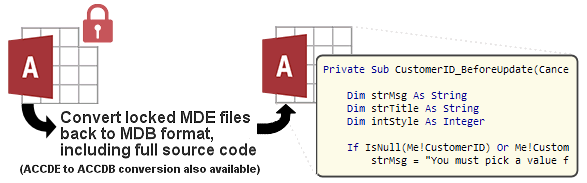
IN THE SPOTLIGHT: MDE to MDB Conversion Service
(also supports: ACCDE to ACCDB, ADE to ADP, etc)
IN THE SPOTLIGHT: Access Database Repair Service
An in-depth repair service for corrupt Microsoft Access files

IN THE SPOTLIGHT: vbWatchdog
VBA error handling just got easier...

" vbWatchdog is off the chart. It solves a long standing problem of how to consolidate error handling into one global location and avoid repetitious code within applications. "
- Joe Anderson,
Microsoft Access MVP
Meet Shady, the vbWatchdog mascot watching over your VBA code →
(courtesy of Crystal Long, Microsoft Access MVP)
IN THE SPOTLIGHT: vbMAPI
An Outlook / MAPI code library for VBA, .NET and C# projects
Get emails out to your customers reliably, and without hassle, every single time.

Use vbMAPI alongside Microsoft Outlook to add professional emailing capabilities to your projects.
IN THE SPOTLIGHT: Code Protector
Standard compilation to MDE/ACCDE format is flawed and reversible.
.
Sub FirstVar()
Points this variable object at the first variable defined in the procedure.
Sub NextVar()
Points this variable object at the next variable defined in the procedure (used to iterate).
Property Get IsEnd() As Boolean
Returns True if this is the last variable defined.
Property Get Name() As String
Returns the name of this variable, as a string.
Property Get VarPtr() As Long
Returns the address where the variable data resides in memory.
Property Get Scope() As VarScope
No information available at this time.
Property Get ScopeDesc() As String
Returns the scope of this variable, as a string representation. One of 'PARAM', 'LOCAL', 'STATIC' or 'MODULE'.
Property Get TypeDesc() As String
Returns the type of this variable, as declared in the VB decleration.
Property Get Value() As Variant
Returns a read-only value representing the current live value of the variable.
Property Get ValueDesc() As String
Returns a read-only string representing the current live value of the variable.
Function DumpAll(Optional ByVal SplitPos As Long = &H32) As String
Dumps all variables to a formatted string. SplitPos defines the amount of space padding.
LocalVariable = &H0
ParameterVariable = &H1
ModuleVariable = &H2
StaticVariable = &H3
TWINBASIC LTD (Company No. 16590181, VAT No. GB497509439)
Terms | Privacy | Sitemap | X (Twitter)

